|
|
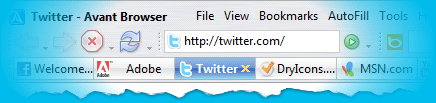
Avant Browser is a custom Web browser application based on Internet Explorer with versatile multi-window support. It allows users to browse multiple Web sites simultaneously and block all unwanted pop-up pages. All opened pages can be easily stopped, refreshed, closed or arranged with one click. The integrated cleaner helps users to clear all traces and keep privacy. And the built-in Google search engine enables users to easily search for Web pages and images.
Download
Avant Browser 8.0 Final | Mirror
|Mirror
Download
AI-RoboForm Plug-in for Avant Browser
Now Avant Browser 8.0 is available in the followings languages:
English German French Italian Portuguese Russian Hebrew Chinese (Simplified
& Traditional)
More
language…
what’s new in Avant Browser 8.0 Final:
Avant Browser 8.0 Final, Released: 05.27.2003
Fixed a bug: Inactive window will steal focus from active window when finish
loading a page.
Improved Full Desktop and Full Screen modes.
Improved lng File loader. The startup of Avant Browser is much faster in non-English
system.
Finished Translations: German, French, Simplified Chinese, Russian and Portuguese.
Improved Browsing Kernel.
Support RoboForm, a Password Manager and Form Filler.
Improved Middle button dual mode.
Improved search bar.
Added Options to disable displaying confirmation for [Close All] and [Close
all except the current].
Auto-detect changes in Favorites.
Display Favorites in multi-AutoScroll-column. (Very useful when having 200+
favorites in one folder.
Added: Full Desktop Mode.
Added Clear Search Keywords in the options page of Clear Records.
Double click online/offline icon to toggle offline/online
Double click speaker icon to enable/disable “play sound when popup page
is blocked”.
Double click the number of blocked pages to reset the number to 0.
Completely re-worked drawing engine promises to make Avant faster than ever
(at least 20%).
New visual style.
Completely reworked menus.
Detachable toolbars.
Enhanced buttons customizing.
Enhanced groups features.
Enhanced browsing kernel.
Enhanced highlight in the toolbar.
Full screen now really = full screen!!! Nothing but the webpage. But, scrolling
your mouse over the top of the screen brings up the address bar and the rest
of the toolbar section and the bottom brings up the tabs section.
Changeable Skins (including a program called skin factory, that will be online
soon).
Lock the toolbars.
Fly favorites editing, but only on the side bar.
Resort favorites.
View your history in all sorts of new ways, sort by date, order visited, site,
etc…
Large icons now implemented in the toolbar.
More search options on the toolbar.
64 mirrors of Google have been added.
Start up with multiple homepages.
Create shortcuts to the desktop and drag and drop images to desktop and folders.
Middle mouse button can now open new links AND do scrolling.
Support windows profiles, all machine users can use Avant Browser now.
Avant Browser 8.0 BETA 1 Build 639, Released: 05.24.2003
Improved lng File loader. The startup of Avant Browser is much faster in non-English
system.
Finished Translations: German, French, Simplified Chinese, Russian and Portuguese.
Avant Browser 8.0 BETA 1 Build 638, Released: 05.23.2003
Finished Multi-Language Framework. Avant Browser 8.0 is ready for translate.
Improved Browsing Kernel.
Improved RoboForm support.
Avant Browser 8.0 BETA 1 Build 637, Released: 05.22.2003
Fixed a bug for menu encoding in non-English system.
Improved RoboForm support.
Avant Browser 8.0 BETA 1 Build 636, Released: 05.22.2003
Improved Flash Animation Blocker.
Improved Browsing Kernel.
Fixed a fatal error with mshtml.dll
Avant Browser 8.0 BETA 1 Build 635, Released: 05.20.2003
Support RoboForm, a Password Manager and Form Filler.
Improved Middle button dual mode.
Improved Flash Blocker.
Improved search bar.
Improved Browsing Kernel.
Added ALT+? shortcuts to Menus.
Added Options to disable displaying confirmation for [Close All] and [Close
all except the current].
Auto-detect changes in Favorites.
Display Favorites in multi-AutoScroll-column. (Very useful when having 200+
favorites in one folder.
Fixed dropdown button improperly displays a dropdown menu.
Fixed cannot type in the address box sometime.
Fixed sidebar will not open sometime.
Avant Browser 8.0 BETA 1 Build 625, Released: 05.08.2003
Fixed: Cannot exit full screen mode when browsing PDF file.
Fixed: The images of some menu items are wrong.
Added: Full Desktop Mode.
Avant Browser 8.0 BETA 1 Build 623, Released: 05.07.2003
Fixed sometime cannot properly display the title of a page on the Tab button.
Sorting the keywords in Search Bar.
Improved ToolBar Drop Down Menu for Larger Button Mode.
Minor improvements for browsing kernel.
Fixed Back/Forward button doesn’t work properly for windows 98
Added Clear Search Keywords in the options page of Clear Records.
Added a option to hide Close button
Double click online/offline icon to toggle offline/online
Double click speaker icon to enable/disable “play sound when popup page
is blocked”.
Double click the number of blocked pages to reset the number to 0.
Avant Browser 8.0 BETA 1 Build 621, Released: 05.06.2003
Fixed a bug in Avant Browser Options Window.
Fixed a bug in Links Bar.
Several minor improvements
Avant Browser 8.0.0.1 BETA, Released: 05.05.2003
Completely re-worked drawing engine promises to make Avant faster than ever
(at least 20%).
New visual style.
Completely reworked menus.
Detachable toolbars.
Enhanced buttons customizing.
Enhanced groups features.
Enhanced browsing kernel.
Enhanced highlight in the toolbar.
Full screen now really = full screen!!! Nothing but the webpage. But, scrolling
your mouse over the top of the screen brings up the address bar and the rest
of the toolbar section and the bottom brings up the tabs section.
Changeable Skins (including a program called skin factory, that will be online
soon).
Lock the toolbars.
Fly favorites editing, but only on the side bar.
Resort favorites.
View your history in all sorts of new ways, sort by date, order visited, site,
etc…
Large icons now implemented in the toolbar.
More search options on the toolbar.
64 mirrors of Google have been added.
Start up with multiple homepages.
Create shortcuts to the desktop and drag and drop images to desktop and folders.
Middle mouse button can now open new links AND do scrolling.
Support windows profiles, all machine users can use Avant Browser now. |
|



 IP卡
IP卡 狗仔卡
狗仔卡
 提升卡
提升卡 置顶卡
置顶卡 沉默卡
沉默卡 喧嚣卡
喧嚣卡 变色卡
变色卡 抢沙发
抢沙发 千斤顶
千斤顶 显身卡
显身卡