|
|
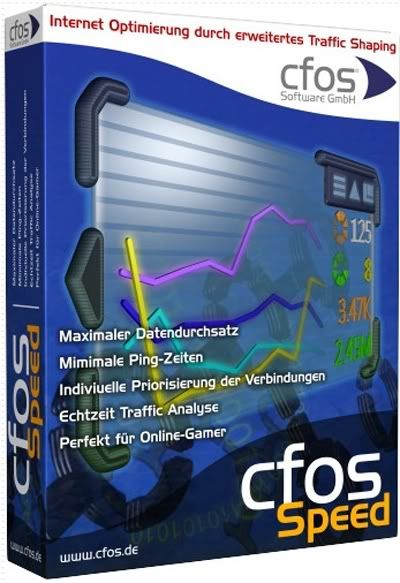
cFosSpeed 8.01 Build 1970 Beta | 5.2 MB
CFosSpeed ??- the program, representing a network driver, which is joined to the existing Internet connection and instantly optimizes data transfer by prioritizing traffic. Traffic Shaping - a method for optimizing the Internet traffic, providing the maximum speed with minimum delay. You can use cFosSpeed ??with a router and / or a DSL-modem or cable modemom.Tak is also possible to use with other types of Internet connections. cFosSpeed ??supports an impressive range of connections such as DSL, cable, ISDN, UMTS, and others.
The standard solution to compensate for this effect was to increase the size of the TCP-window that allows you to send more data without immediate confirmation. The main problems here are to increase ping (latency) and significant delays during rendering web pages. The delay of up to two seconds is not uncommon for TCP-window size of 512KB. In short, the large size of TCP-window still does not allow you to get the full speed of downloading.
On the other hand, cFos Traffic Shaping arranges data by priority in the order that important packets are always earlier than usual. Thus, the evidence always come on time, and the transfer will never clog your connection!
Technology cFos Traffic-Shaping, recognizing the important packet types and placing them in accordance with the priorities, not only smooths the Internet traffic, but also provides a low ping. This not only accelerates surfing and download speed increases, but also offers advantages in online games.
Connections:
- Broadband: Cable and DSL
- Narrow band: Modem and ISDN
- Mobile (UMTS, HSDPA, GSM, GPRS, HSCSD)
- DSL, PPPoE
- DSL, PPPoA (VCmux and LLC)
- DSL, PPTP
- VDSL
- Cable
- ISDN
- IP over AAL
- RFC1483/2684 bridged
cFosSpeed ??is a network driver, which attaches itself to existing Internet connections. It then optimizes data transfer by means of Traffic Shaping. Traffic Shaping is a method for optimizing the Internet traffic. It allows maximum speed while ensuring minimal Ping. You can use cFosSpeed ??with a router and / or a DSL-modem or cable-modem. You can also use cFosSpeed ??with other types of Internet access, ie. whenever you already have an existing Internet connection. cFosSpeed ??supports a wide variety of connections, like DSL, cable, ISDN, UMTS, etc.
Key features of "cFosSpeed":
?Free configurable Prioritization
?Self-calibrating
?Layer-7 Analysis
?Firewall
?Automatic router detection
?Optimal Dial-Up connections
?VPN - WLAN - WiFi - MTU-Optimization
?Multi User Features
?Broadband limits
Changes in version 8.01 Build 1970 Beta
-Fixed a problem where an update install would sometimes fail, because spd.exe could not be deleted.
Download Links
Download Letitbit
http://letitbit.net/download/39579.3a52bef23f6f5dbb105262aa6b49/cFosSpeed.8.01.Build.1970.Beta.rar.html
Mirror Turbobit
http://turbobit.net/nb7zsv41z4pf.html
Mirror AzuShare
http://azushare.net/SCukfhfgaztTbgFm/cFosSpeed.8.01.Build.1970.Beta.rar |
|



 IP卡
IP卡 狗仔卡
狗仔卡
 提升卡
提升卡 置顶卡
置顶卡 沉默卡
沉默卡 喧嚣卡
喧嚣卡 变色卡
变色卡 抢沙发
抢沙发 千斤顶
千斤顶 显身卡
显身卡