|
|
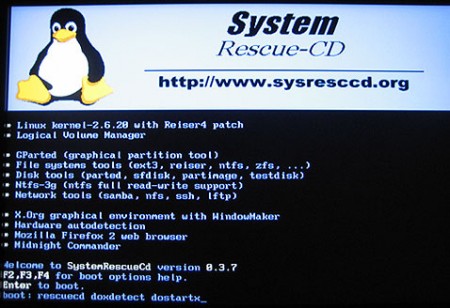
SystemRescueCd 2.7.1 x86 | 369MB
SystemRescueCd is a Linux system rescue disk available as a bootable CD-ROM or USB stick for administrating or repairing your system and data after a crash. It aims to provide an easy way to carry out admin tasks on your computer, such as creating and editing the hard disk partitions. It comes with a lot of linux software such as system tools (parted, partimage, fstools, ...) and basic tools (editors, midnight commander, network tools). It can be used for both Linux and windows computers, and on desktops as well as servers. This rescue system requires no installation as it can be booted from a CD/DVD drive or USB stick, but it can be installed on the hard disk if you wish. The kernel supports all important file systems (ext2/ext3/ext4, reiserfs, btrfs, xfs, jfs, vfat, ntfs), as well as network filesystems (samba and nfs). [cut]
SystemRescueCD is very easy to run. Just download the ISO file, write it to a CDROM, and boot it.
See the link below to download with your favorite browser or download the SystemRescueCD ISO image with wget, a simple and reliable download tool.
Type wget -c address in a console. If there is a problem with the download, try again with -c, and it will continue. Here is a win32 version of wget .
Changes-x86
2.7.1) 2012-05-26:
Updated standard kernels to Long-Term-Supported linux-3.2.18 (rescuecd + rescue64)
Updated alternative kernels to latest stable: linux-3.3.7 (altker32 + altker64)
Updated syslinux and related files to 4.05 (fixes sysresccd-usbstick regression)
Updated XFCE graphical environment to 4.10 and Midori web-browser to 0.4.6
Updated e2fsprogs to 1.42.3
Writing the ISO image file to a CD:
On linux use wodim or cdrecord. First: cdrecord -scanbus to get the identifier numbers of your device.
Then: cdrecord dev=x,y,z -v systemrescuecd-x86-x.y.z.iso in a console.
On Windows use software such as Nero or download ImgBurn which is free.
Installation on an USB stick
If you are interested in installing SystemRescueCd on an USB stick, you must download the CD-ROM version of the rescue disk, and copy several files yourself, as explained in the manual. Thus, there is only one file to download for both CD-ROM and USB versions of SystemRescueCd.
Stable x86: SystemRescueCd-x86-2.7.1
Release date: 2012-05-26
Uploaded by Snorgared
http://netload.in/datei4VapnIjYHV/RescueCd_Snorgared.part1.rar.htm
http://netload.in/dateixNsSzxhAQP/RescueCd_Snorgared.part2.rar.htm
http://netload.in/dateiy9g2F8ycVH/RescueCd_Snorgared.part4.rar.htm
http://netload.in/dateigYpEOc7qXH/RescueCd_Snorgared.part3.rar.htm
http://letitbit.net/download/09135.0cf33011dc131b660b96a691a28b/RescueCd_Snorgared.part3.rar.html
http://letitbit.net/download/44688.46f577ad7da21117ce078571981c/RescueCd_Snorgared.part2.rar.html
http://letitbit.net/download/76693.7ac298c254ba9489f9c9a14a448c/RescueCd_Snorgared.part1.rar.html
http://letitbit.net/download/43447.496946d50d307073716f62959494/RescueCd_Snorgared.part4.rar.html |
|



 IP卡
IP卡 狗仔卡
狗仔卡

 提升卡
提升卡 置顶卡
置顶卡 沉默卡
沉默卡 喧嚣卡
喧嚣卡 变色卡
变色卡 抢沙发
抢沙发 千斤顶
千斤顶 显身卡
显身卡