|
|
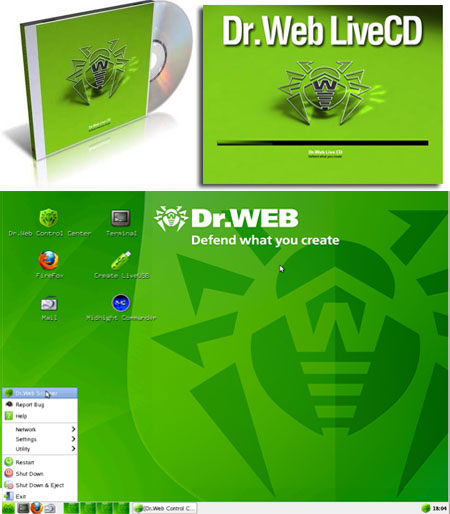
Dr. Web LiveCD 6.0.0 (04/13/2012) | 181 MB
If your Windows or Linux system has been rendered non-bootable by malware, restore it for FREE with Dr.Web LiveCD! Dr.Web LiveCD will clean your computer of infected and suspicious files, help you copy important information to a removable data storage device or another computer, and then attempt to cure infected objects. This download is an ISO file which can be burned to CD/DVD.
How does it work?
1: Download the Dr.Web LiveCD image.
2: Burn the image onto a CD/DVD. Users of Nero Burning ROM should proceed as follows:
Insert a blank CD/DVD into your CD/DVD recorder
Click on the 揊ile?menu and select 揙pen?
Browse through folders to the image location and select it
Press the 揃urn?button, and wait while the image is being written to the disk
3: Make sure that the CD/DVD drive or any other device with Dr.Web LiveCD is set as the first-boot device. Adjust corresponding BIOS settings, if necessary.
4: As loading starts, a dialogue window will prompt you to choose between the standard and safe modes.
5: Use arrow keys to select a desired mode and press [Enter]:
If you want to use the scanner with the GUI, choose DrWeb-LiveCD (Default)
If you抎 like to start the scanner using the command line (console), select DrWeb-LiveCD (Safe Mode)
Choose Start Local HDD, if you want to boot from the hard drive instead of Dr.Web LiveCD
Select Testing Memory to launch the Memtest86+ utility
6:If DrWeb-LiveCD (Default) is selected, the operating system will detect all available disk drives automatically. It will also try to connect to the local network, if available.
7: When the system is loaded, check the disks or folders you want to scan, and click on 揝tart?
8: If you need extra help, you can contact the Doctor Web Support Team by filling out a Support-Request Form on our web site or sending your request via e-mail
9:The Midnight Commander file manager is used to work with files you need to copy to a safe location
10: If the operating system failed to configure access to your network, you can do it manually using Networks Configure Manager. From the 揝tart?menu, go to 揝ettings,?and then to 揘etworks Configure Manager?
Download:
http://extabit.com/file/2a0pek0ahfeey/DW.LiveCD.6.0.0.04132012.rar
Mirror:
http://ul.to/4l0wkj5j/DW.LiveCD.6.0.0.04132012.rar |
|



 IP卡
IP卡 狗仔卡
狗仔卡

 提升卡
提升卡 置顶卡
置顶卡 沉默卡
沉默卡 喧嚣卡
喧嚣卡 变色卡
变色卡 抢沙发
抢沙发 千斤顶
千斤顶 显身卡
显身卡