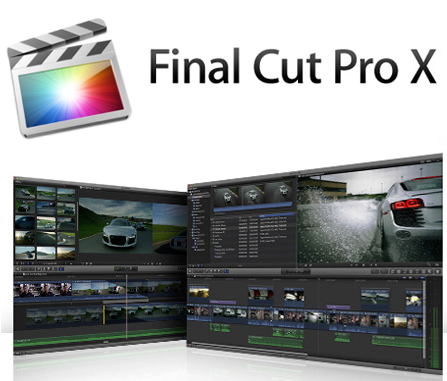
Final Cut Pro X 10.0.4 & Motion 5.0.3 Mac OSX | 1.43 GB + 1.16 GB
Editing sound and color. Together in one app. Final Cut Pro X includes the key sound editing and color grading features from Final Cut Studio so now you can use a single application for the entire post-production workflow. Editing sound and color. Together in one app. Final Cut Pro X includes the key sound editing and color grading features from Final Cut Studio so now you can use a single application for the entire post-production workflow. Motion is a software application produced by Apple Inc. for their Mac OS X operating system. It is used to create and edit motion graphics titling for video and film production and 2D and 3D compositing for visual effects. The Motion interface has been redesigned specifically for Final Cut Pro editors with a familiar look and feel that makes it easy to switch between the two applications. A new single-window layout puts all the tools you need at your fingertips and redesigned icons make it easy to identify options at glance. The darker look of the new interface is designed to enhance color perception as you work with any combination of video stills and motion graphic elements. Many filters now include onscreen controls for direct intuitive manipulation of effects. And keyframe editing is much more accessible thanks to a new view that displays the Keyframe editor below the timeline.
Revolutionary video editing.
Rebuilt from the ground up to meet the needs of today抯 creative editors Final Cut Pro breaks free from the restrictions of old-fashioned timeline tracks. A new dynamic editing interface lets you experiment freely while working with extraordinary speed and precision.
Magnetic Timeline
Suddenly everything falls into place.
With a visual simplicity that reveals powerful professional tools just when you need them the Magnetic Timeline in Final Cut Pro offers an exceptionally fluid flexible way to edit. Assemble shots with ease as clips 搈agnetically?close up to eliminate unwanted black gaps in the timeline. Similarly clips move out of the way to avoid clip collisions and sync problems so you can focus on creating your story. Interactive animations show you exactly what抯 happening in the timeline as you work so you can easily try out new ideas.
Clip Connections
Keep it together.
Clip Connections are an easy way to place clips such as B-roll sound effects and music in the timeline so that they all move together as you make changes ?even in the most complex projects. Final Cut Pro automatically creates a Clip Connection when you drag a secondary element to the timeline.
Whether you抮e doing a fast assembly or precise trimming you can edit with confidence knowing that Clip Connections keep everything together. It抯 particularly easy to reorganize your story as you work because you can move a section of your project in a single step. Clear visual connections make it easy to hand off a project to another editor or to resume editing at a later date.
Compound Clips
Say goodbye to timeline clutter.
With Compound Clips you can group a complex set of elements and collapse them into a single clip. This removes clutter from the timeline and creates a simplified version of the segment that抯 easy to move or duplicate. Reuse a Compound Clip in other projects ?for example for a unique sound design with layered sound effects. Or use a Compound Clip to add an effect to multiple shots with a click. Step into a Compound Clip or expand it at any time to make changes to individual elements.
Inline Precision Editor
Perfect the pacing. Right in the timeline.
The Magnetic Timeline improves on traditional ways of trimming including ripple roll slip and slide edits. If you need additional control double-click an edit to open the Precision Editor and make trims directly in the timeline. The Precision Editor expands your view of the edit point so you can see both used and unused portions of your clips. Then skim entire clips and adjust edit points with a click.
Auditions
It抯 never been easier to choose the perfect shot.
With the unique Auditions feature you can collect multiple alternative shots at a single location in the timeline and quickly cycle through them in context. Test different B-roll shots different reads of the same lines different color grades for the same shot or different effects. Or use Auditions to create multiple versions of your project for different deliverables and venues. It抯 easy to create an Audition ?simply drag shots of any length to the same place in the timeline and choose 揂dd to Audition.?As you try out different shots the Magnetic Timeline keeps everything in sync.
Powerful media organization.
Today抯 video editor has to deal with more formats and footage than ever before. Final Cut Pro X helps you handle it all with ease offering dynamic new ways to organize your media and find just the clips you need.
Content Auto-Analysis
Let your media organize itself.
Download:
http://extabit.com/file/27avakg028xc4/Final.Cut.Pro.X.v10.0.4.Mac.OSX.part1.rar
http://extabit.com/file/27avake5bbns4/Final.Cut.Pro.X.v10.0.4.Mac.OSX.part2.rar
http://extabit.com/file/27avake5bbqyc/Final.Cut.Pro.X.v10.0.4.Mac.OSX.part3.rar
http://extabit.com/file/27avakg028eac/Final.Cut.Pro.X.v10.0.4.Mac.OSX.part4.rar
Mirror:
http://letitbit.net/download/98537.9f6e55bee8957f9ba27b7ac16cd7/Final.Cut.Pro.X.v10.0.4.Mac.OSX.part1.rar.html
http://letitbit.net/download/91796.940d95828fa2d968c75f5333e130/Final.Cut.Pro.X.v10.0.4.Mac.OSX.part2.rar.html
http://letitbit.net/download/61566.614b9545d2d770316a5bcedd40f1/Final.Cut.Pro.X.v10.0.4.Mac.OSX.part3.rar.html
http://letitbit.net/download/01254.02819d5de4c1a390a8f2002ce0ff/Final.Cut.Pro.X.v10.0.4.Mac.OSX.part4.rar.html | 


 IP卡
IP卡 狗仔卡
狗仔卡
 提升卡
提升卡 置顶卡
置顶卡 沉默卡
沉默卡 喧嚣卡
喧嚣卡 变色卡
变色卡 抢沙发
抢沙发 千斤顶
千斤顶 显身卡
显身卡