|
|
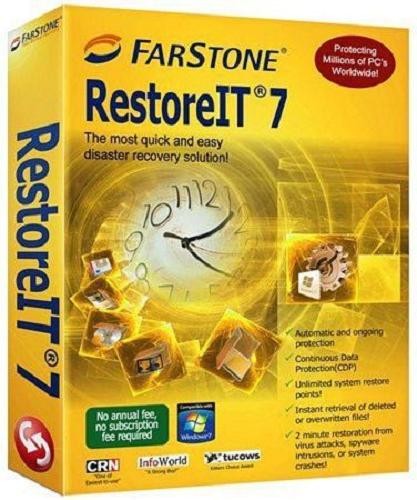
FarStone RestoreIT 7.1.4 (Build 20111014) | 231.4 MB
Farstone RestoreIT - is designed to recover corrupted by the user or the virus files, folders and system files. The program can save the current state of the system and restore the previously unseen archived indefinitely return status.
RestoreIT! overwrites the boot sector, adding there yourself and create your own logical drive, which records all the necessary files to it for backup. In the process, making the invisible disk health monitoring, RestoreIT, as SecondChance, creates a "return point" that allow you to roll back to, say, in yesterdays state of the system or on a week ago.
All cusps are divided into two types: complete and storage. Full control point - is the content of the entire section in the archive. Funded checkpoint takes much less space and is just old versions of modified files, increasing with time. It is useful that the "return to the past" can not necessarily the entire working hard drive, and only one logical drive. When you start Windows, RestoreIT! loaded before booting the system by pressing the spacebar, and offers to enter into its own menu and select one of these days (recorded states of the system), in which we want to revert. In the process, RestoreIT is activated / deactivated by clicking on the shortcut menu from the tray icon that allows you to disable the program and keep the resources when the system state is guaranteed not to change (eg in some games). RestoreIT has useful additional features. First, you can create a Rescue Diskette. If the host gave RestoreIT failure, with this floppy, you can always restore not only drive, but with the MBR partition table. Second, you can create a Recover CD, that really is just full control point volume recorded on CD or DVD.
RestoreIT ?7 is based on FarStones patented "Advanced System Restore" technology. RestoreIT ?7 is a new, and powerful, innovation designed to recover your entire PC in 60 seconds for an effortless recovery from any disaster. RestoreIT ?7 enables you to instantly recover files, system configurations - even an operating system - by literally taking a RestoreIT ?of your system.
Whether youve been hit with a virus, attacked by a hacker, had a system crash, or other unforeseen disasters, RestoreIT ?7 allows you to go back in time to where your PC was working properly for quick, painless, and accurate data restoration. Even in the event of Windows "Blue Screen of Death", RestoreIT ?7 can save you and your PC instantly!
Benefits & Features
- 30-second restoration from virus attacks, spyware intrusions, or system crashes!
- Automatic & Continuous Data Protection!
- Restores even when Windows fails to start!
- Instant retrieval of deleted or overwritten files!
- Restore points use less than 1% of disk space compared to Windows System Restore!
10 Seconds Save The Most Common PC Problems
- I accidentally deleted an important document
- After installing Windows Updates, my computer started acting abnormal
- I downloaded shareware from the internet that crashed my computer
- I installed a game and lost my audio
- I opened an attachment in an email, and my computer crashed
- I lost an entire day trying to access the internet after I changed my network configuration
- I lost my vacation pictures after uploading a new picture from my digital camera
- I synchronized my Smartphone, then something went wrong; I lost 10 days of work
- My five year old son played with my home office computer, and my computer was never the same again!
- Total System Recovery
Restore selected files / folders or an entire operating system from corrupt software, human error, virus attack, or a software bug
- Continuous Data Protect (CDP)
Continuously monitor changes to your hard drive, backup only the changed sectors
- Unlimited System Restore Points
The number of saved restore points is restricted only by available disk space
- Small Disk Space Requirement
Image compression and incremental backup technology mean that RestoreIT ?7 takes up a small portion of hard drive space on most computers
- Password Protection
Restrict user access to RestoreIT ?7
- Hot-key entry to Recovery Environment
Enter Pre-Windows recovery environment without any premade media
Download:
http://www.filesonic.com/file/NrRnAle/estoreIT.7.1.4.Build.20111014.rar
Mirror 1 :
http://www.uploadstation.com/file/HDhCDzV/estoreIT.7.1.4.Build.20111014.rar
Mirror 2 :
http://www.filejungle.com/f/6aQMFD/estoreIT.7.1.4.Build.20111014.rar |
|



 IP卡
IP卡 狗仔卡
狗仔卡
 提升卡
提升卡 置顶卡
置顶卡 沉默卡
沉默卡 喧嚣卡
喧嚣卡 变色卡
变色卡 抢沙发
抢沙发 千斤顶
千斤顶 显身卡
显身卡