|
|
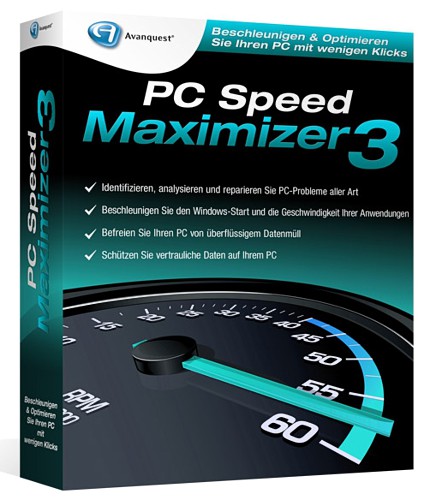
Avanquest PC Speed Maximizer 3.0.1.0 + Portable | 3.24/3 MB
Keep your computer running like new and protect your privacy with PC Speed Maximizer. PC Speed Maximizer is fast, easy and safe! The program is designed so that even novice users can keep their computers running like new. Download a Quick Scan to give you a quick overview of the status of your computer.
Speed up your PC
- Automatically optimise your registry settings to prevent crashes and help speed up your computer.
- Remove privacy and temporary files to protect your privacy.
- Delete junk files to free disk space and improve performance.
- Remove broken short cuts
- Tweak a variety of system and windows settings for optimal performance
- Remove unnecessary programs from starting with Windows to increase the speed of starting Windows and to free up memory and improve performance.
The Scan Results screen shows the results of a Quick Scan. It shows the number of items found and lets you access the following functions:
- Optimise registry ?goes to the Registry Tab and lets you scan the registry and correct registry problems.
- Delete privacy files ?goes to the Clean Up Privacy and Temporary Files screen and lets you scan and delete privacy and temporary files.
- Delete junk files ?goes to the Clean Up Junk Files screen and lets you scan and delete junk files.
- Fix invalid short cuts ?goes to the Fix invalid short cuts screen and lets you scan and delete invalid short cuts
- Optimise Windows ?goes to the Optimise Tab and lets you set System, Internet, and Security settings for your computer.
- Manage start up ?goes to the Start Up Manager. The Start Up Manager shows the programs that are loaded when Windows starts. In the Start Up Manager, you can select any program and choose - Delete. This will remove the program from the list of programs that start when Windows is loaded (the program is NOT deleted from your computer). If you are unsure about a program, you can select it and choose the Ask Google button. This will start a Google search and show information about the program. The Add button lets you add a program that will start when Windows is loaded. In general, it抯 best to only start necessary programs so that Windows will start faster.
Download (FileSonic):
http://www.filesonic.com/file/4093914414/PC_Speed_Maximizer_3.0.1.0.rar
http://www.filesonic.com/file/4093914394/PC.Speed.Maximizer.3.0.1.0.Portable.rar
Mirror 1 (Filejungle):
http://www.filejungle.com/f/MNccJ8/PC_Speed_Maximizer_3.0.1.0.rar
http://www.filejungle.com/f/JDyqVg/PC.Speed.Maximizer.3.0.1.0.Portable.rar
Mirror 2 (Uploadstation):
http://www.uploadstation.com/file/BUFu6QW/PC_Speed_Maximizer_3.0.1.0.rar
http://www.uploadstation.com/file/cw8JdU3/PC.Speed.Maximizer.3.0.1.0.Portable.rar |
|



 IP卡
IP卡 狗仔卡
狗仔卡
 提升卡
提升卡 置顶卡
置顶卡 沉默卡
沉默卡 喧嚣卡
喧嚣卡 变色卡
变色卡 抢沙发
抢沙发 千斤顶
千斤顶 显身卡
显身卡